
Guest list & RSVPs
Add guests, track RSVPs, and send invites from your guest list.
Your guest list is the foundation for seating, catering counts, and invitations, so it's worth keeping current as responses come in.
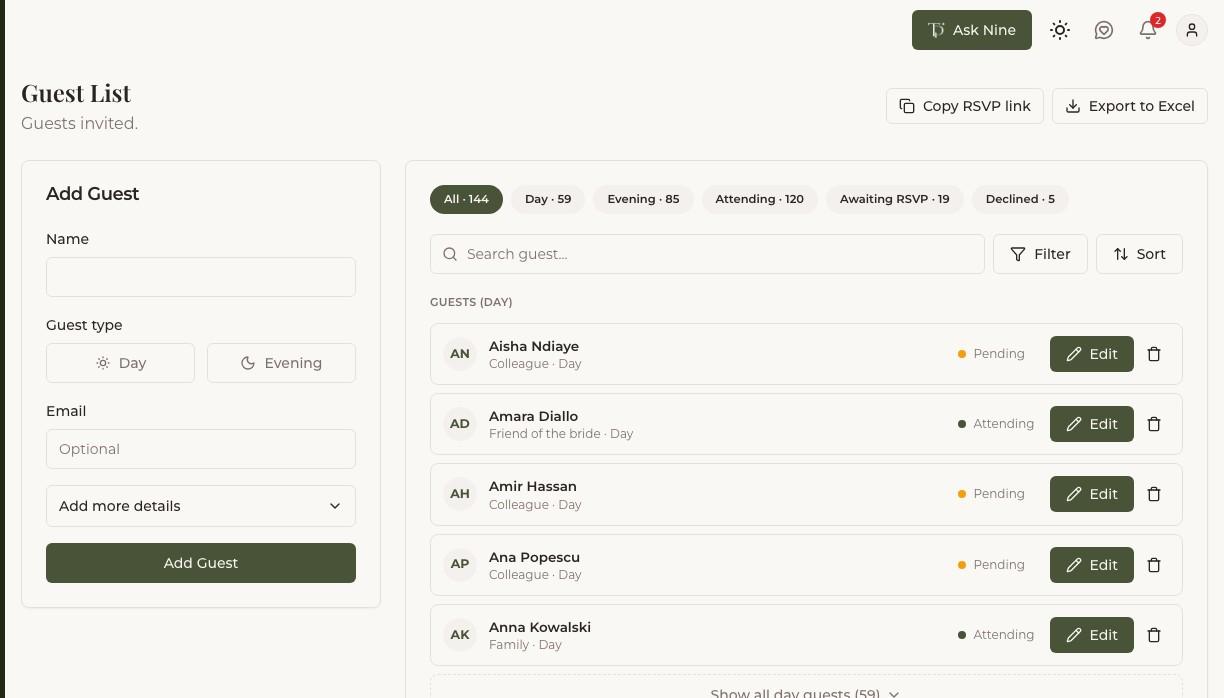
Adding guests
Add guests one at a time, or in bulk if you're starting from an existing list elsewhere. For each guest, you can record their relation to the couple, contact details, dietary requirements, and whether they're bringing a plus-one. None of this is required up front — a name is enough to get started, and you can fill in the rest later.
Sending invites and RSVP links
Each guest gets a personal RSVP link you can share directly or by email. When they open it, they can respond without needing an account of their own.
Tracking RSVPs
RSVP status updates automatically when a guest responds through their link. For responses that come in by phone, text, or in person, you can update their status yourself. Keeping this current matters beyond just headcount — your seating tools only work with guests marked as attending.